No new hardware needed
Turn your spare tablet into the family's command centre.
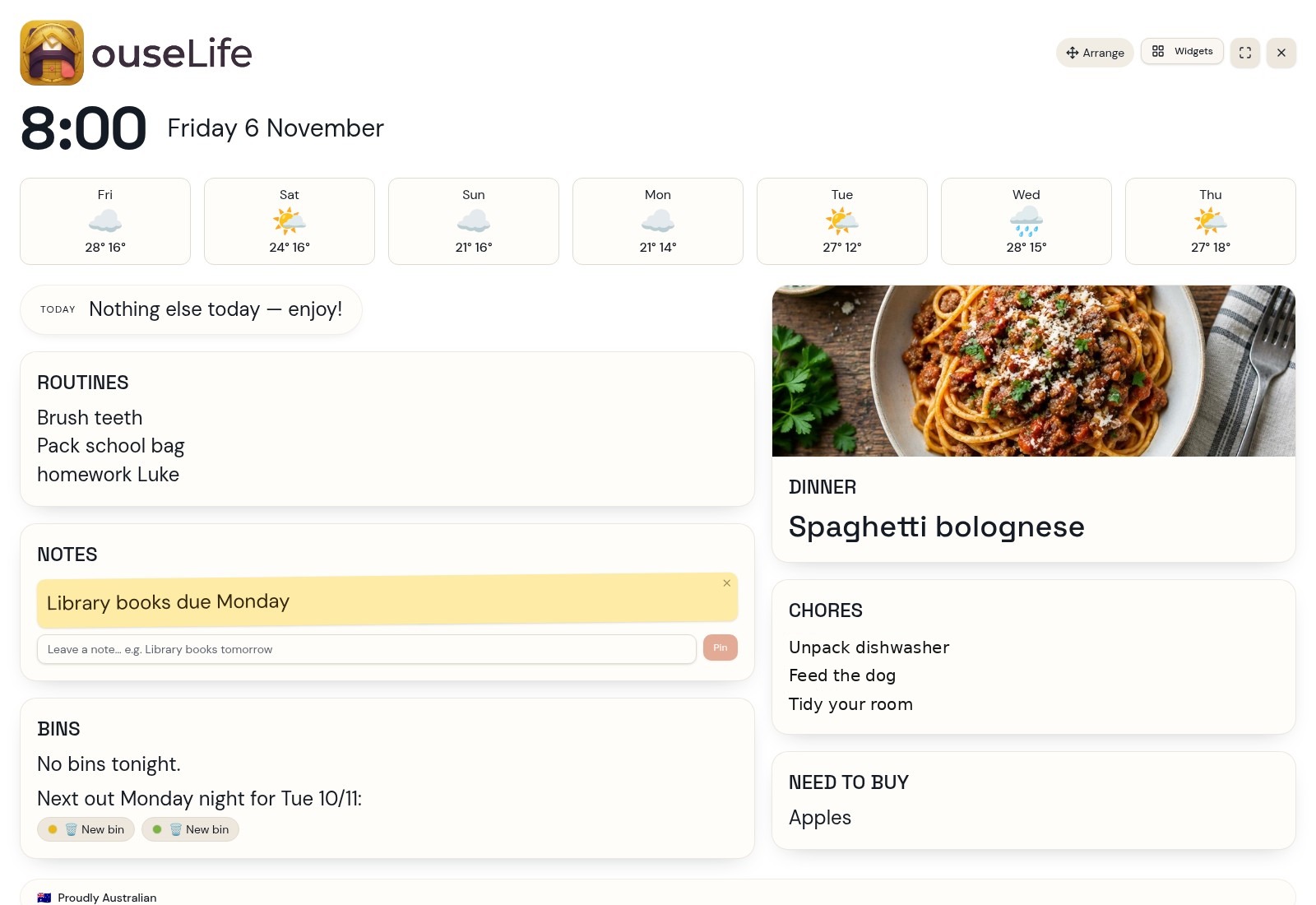
Your calendar, chores, meals, recipes and shopping in one ad-free family hub. Built for Australian life, on a supported tablet you already own — and everyone’s phone.
Free while we test with families. No card needed.
Why families choose HouseLife
Family time. Not ad space.
No advertising in the calendar, recipes or kids’ activities. Just the things your household needs.
Keep the screen. Skip the purchase.
Turn a supported spare tablet into Wall mode without buying a dedicated family display.
More of family life, together.
Meals, chores, crafts and gardening alongside Australian school terms and public holidays.
Everything a busy household needs
Month, week & day
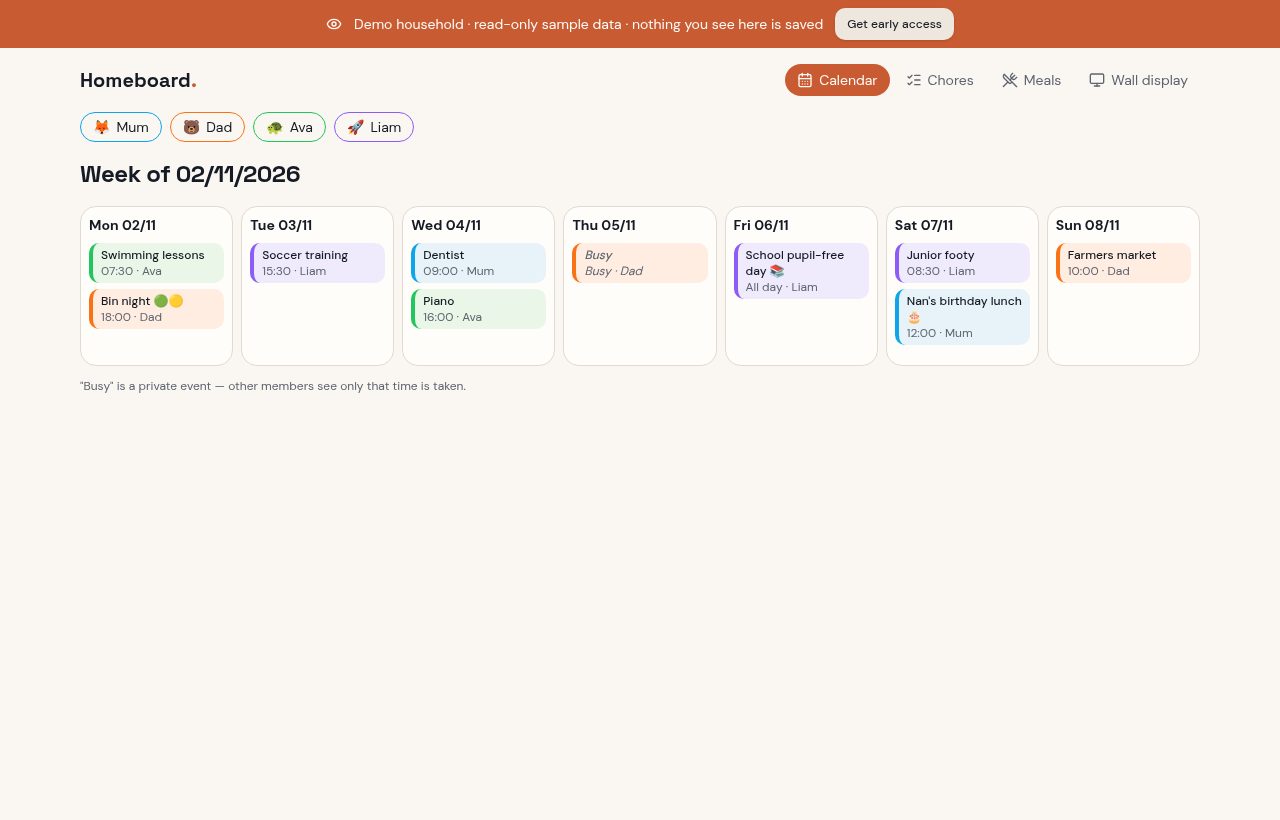
School holidays, public holidays and every appointment in one calm view.
Bring your calendars
One-way imports from supported Google, Apple or Outlook calendar links.
Everyone's own login
Partners and older kids join with an invite link and see the same calendar.
Chores & rewards
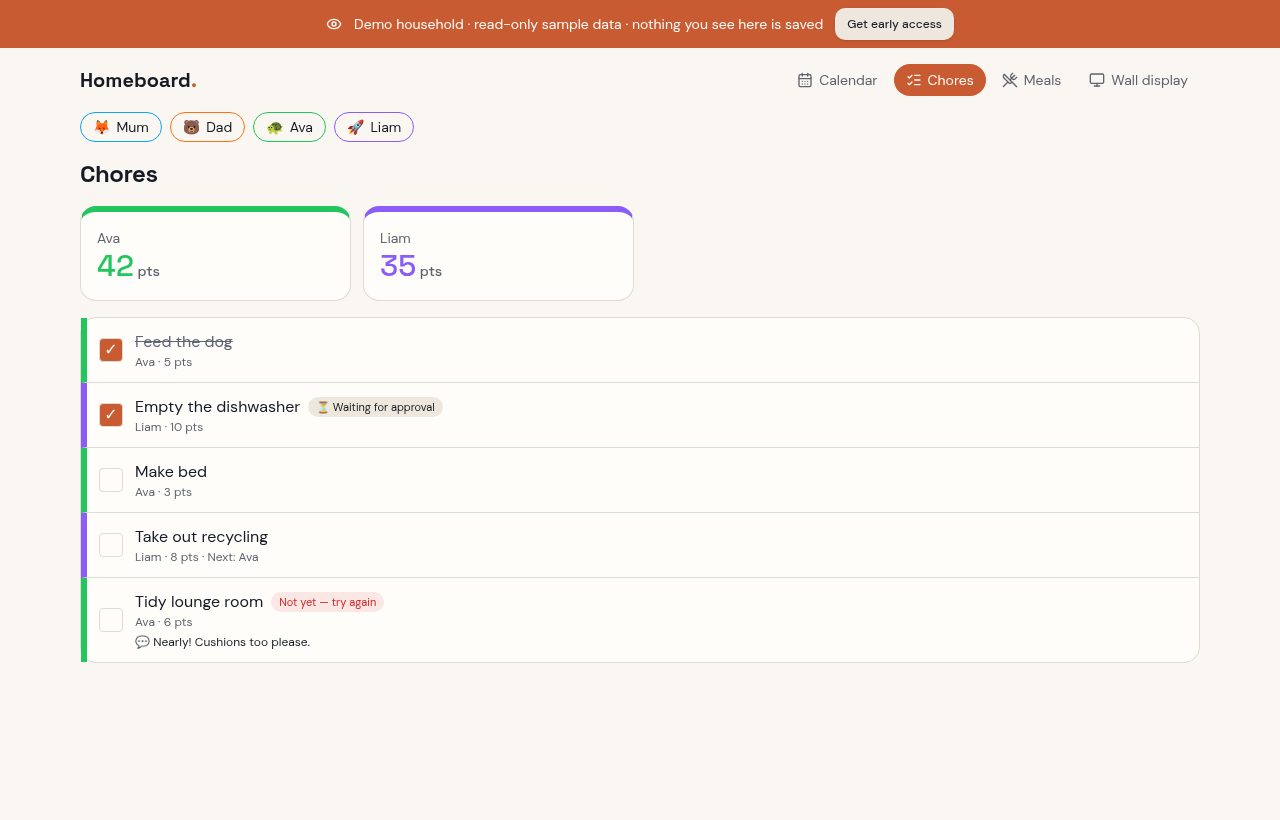
Points, routines and a reward store that make jobs feel like a game.
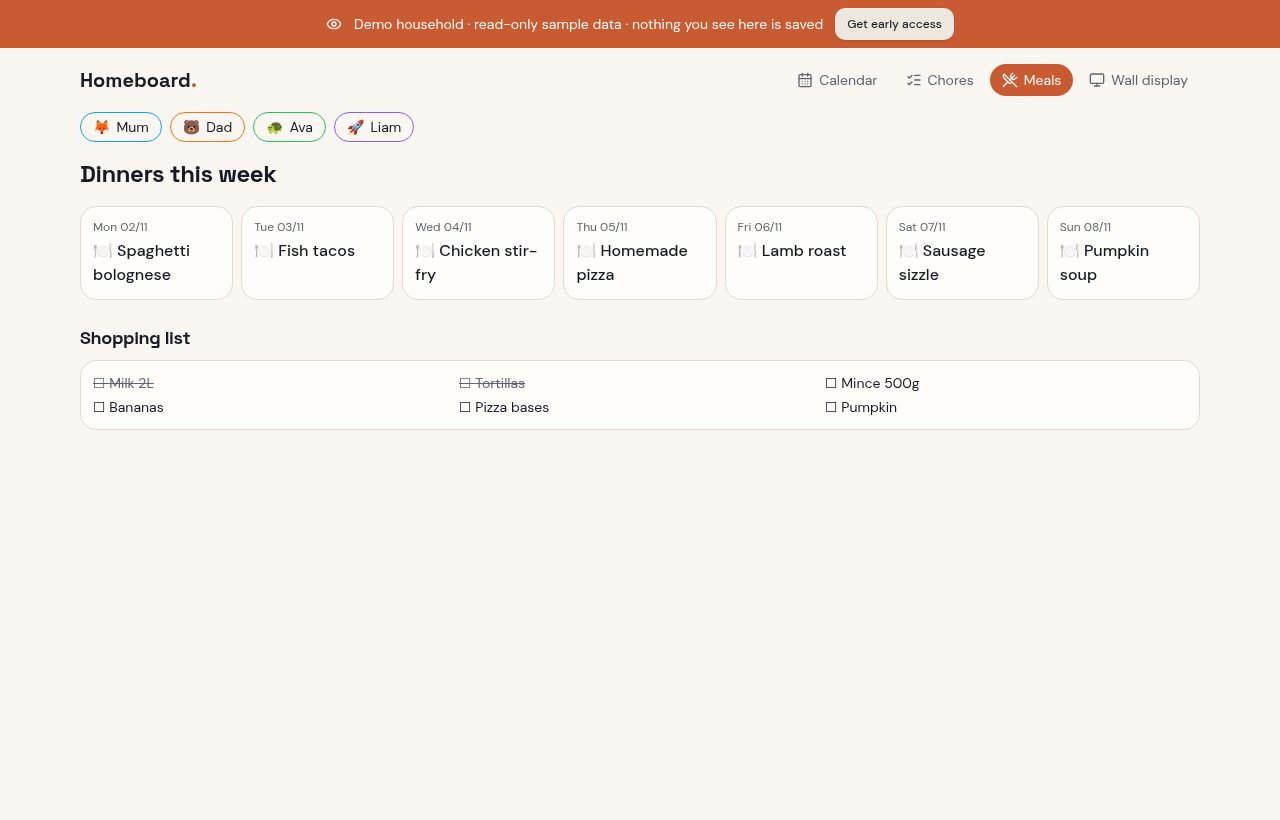
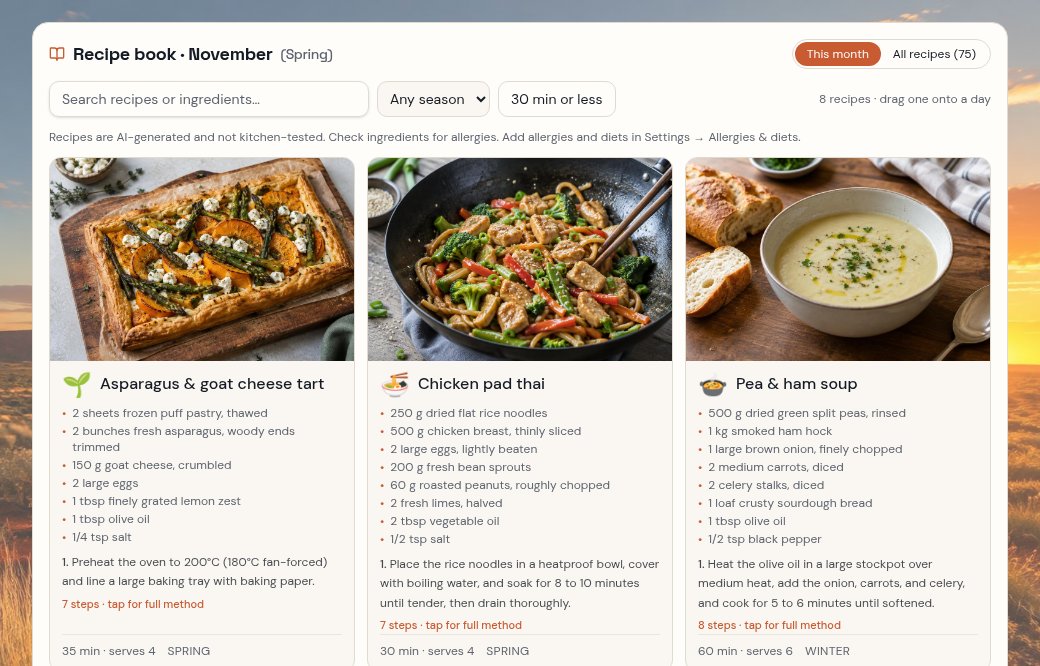
Meals & recipes
Plan the week, reuse your usuals and get a fresh seasonal recipe book every month.
Shared shopping
Add from anywhere, tick off in the shop, seen instantly at home.
Fridge sheet
Print the week on one page — dinners, events, chores and bin night.
Private by design
Only the people in your household can see your family's data.
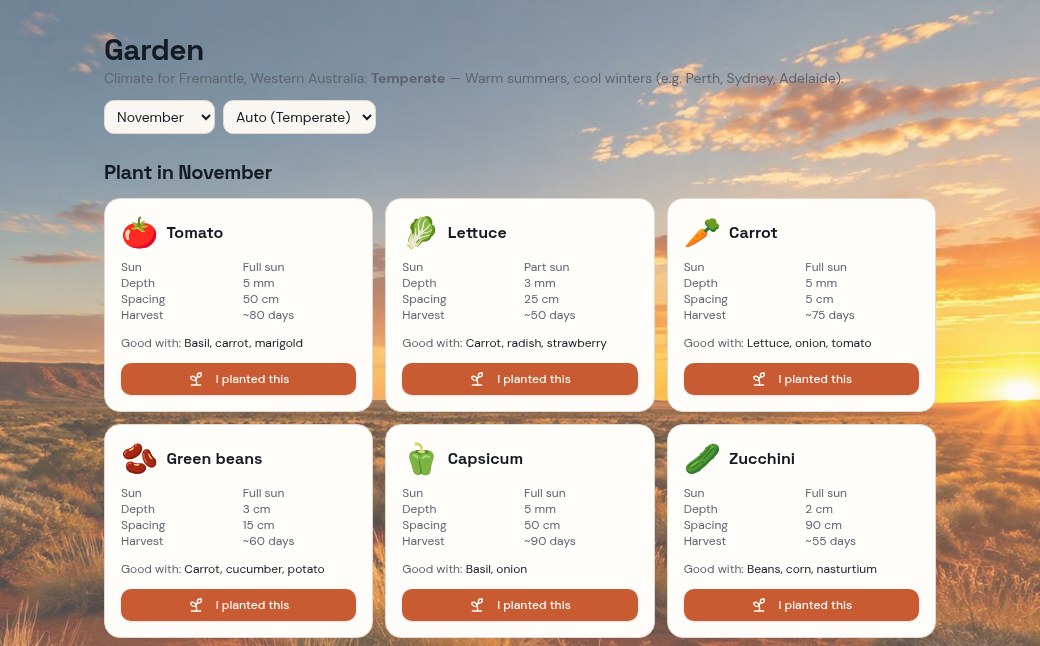
Veggie garden guide
Seasonal planting advice, garden jobs and projects for your climate.
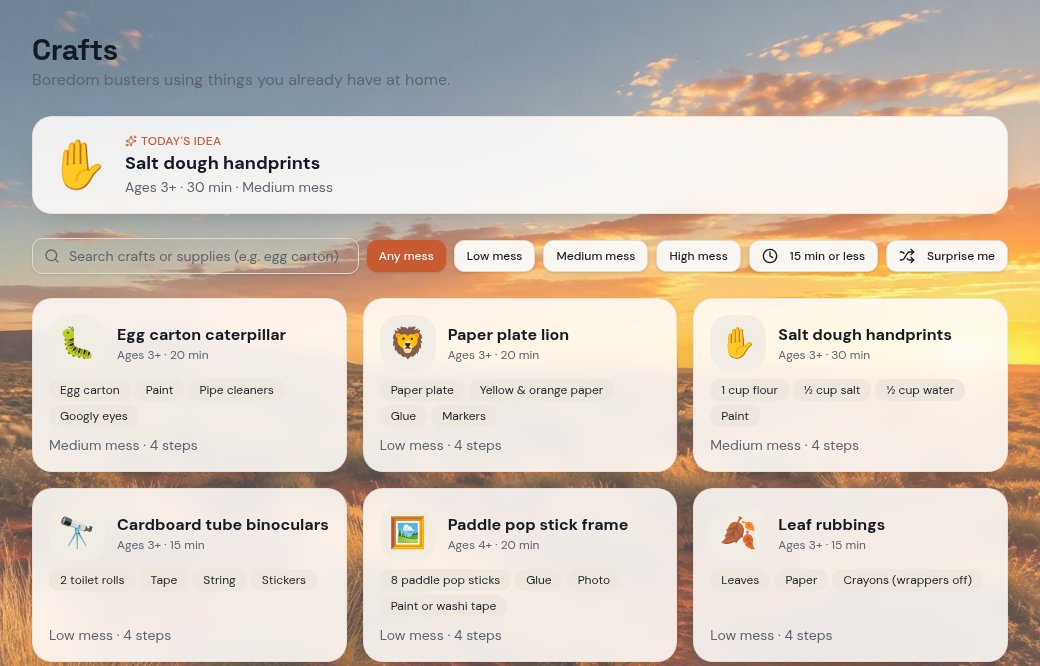
Kids’ craft corner
Family activities with age guides, time estimates and supplies.
See it in action
Screens from our sample household. Tap any one to explore it yourself.
Thinking of switching?
Cozi and Skylight help families get organised too. The difference is how you want to do it: an ad-free Australian family hub on your own screen, an established organiser app, or a dedicated display.
Getting started
HouseLife: A supported tablet, phone or laptop you already own
Cozi: App and website; no dedicated screen needed
Skylight Calendar: Buy a dedicated touchscreen for the wall experience; mobile app available
Advertising
HouseLife: Ad-free, including during early access
Cozi: Free plan; Cozi Gold offers an ad-free experience
Skylight Calendar: A dedicated-display product, not an ad-supported free calendar app
Household cost
HouseLife: Free early access. Planned: AUD $5/month or AUD $49/year
Cozi: Free plan or paid Cozi Gold; check current local pricing
Skylight Calendar: Hardware purchase; some features included, optional paid features
Calendar & shopping
HouseLife: Shared calendar and shopping list
Cozi: Shared calendar and shopping lists
Skylight Calendar: Calendar, tasks and grocery/custom lists
Meals & recipes
HouseLife: Meal planner, usual meals and seasonal recipe book
Cozi: Recipes and meal-planning features; availability varies by plan
Skylight Calendar: Meal-planning features; check current plan inclusions
Chores
HouseLife: Chores, parent approval, points and rewards
Cozi: To-do and chore lists
Skylight Calendar: Chore charts and tasks
Beyond the calendar
HouseLife: Kids’ crafts, veggie garden guide and printable fridge sheet
Cozi: See their feature list for current extras
Skylight Calendar: See their feature list for current extras
Australian families
HouseLife: State and territory school terms and public holidays built in
Cozi: Check local holiday support before choosing
Skylight Calendar: Check local holiday support before choosing
Things to consider
HouseLife: New and in early access; Home Screen installation rather than an app-store app
Cozi: Established app and web experience
Skylight Calendar: Purpose-built screen with a ready-made hardware experience
Official feature and plan pages checked 07/11/2026. Features, availability and prices may change; compare current local offers before deciding. Cozi and Skylight are trademarks of their owners. HouseLife is not affiliated with either.
Cozi plansCozi featuresSkylight Calendar
Try the fit before you make the move.
Explore the demo, then link a supported Google, Apple or Outlook calendar. Imports are one way; chores, meals and shopping from another app need to be set up separately.
Planned pricing
One household plan. No ads. No dedicated screen purchase. HouseLife is free during early access; these are our planned prices, not live offers.
Monthly
Planned- Same family features on both plans
- One plan for the household
- Ad-free experience
- Wall mode on your own screen
Yearly
Planned- Same family features on both plans
- One plan for the household
- Ad-free experience
- Wall mode on your own screen
Nothing is charged today, and no payment details are asked for. All prices are in AUD.
Join the early-access list
Be first to hear when founding-family places open.
Questions people ask
 Something else on your mind? Ask the HouseLife helper once you are signed in — it answers setup and how-to questions from the built-in guide.